

Chạy dịch thuật theo lô bằng WP-CLI
Bạn có thể chạy dịch thuật theo lô bằng WP-CLI, sử dụng các script bash. Điều này cho phép bạn chạy các bản dịch ở nền trong khi bạn đang làm việc khác.
Để làm điều đó, hãy tạo hai script bash:
- Một script chính chứa logic để xử lý chúng theo lô (không bao giờ thay đổi)
- Một file cấu hình xác định những mục cần dịch (được cập nhật theo từng lần chạy dịch thuật)
Script chính
Tạo một file có tên gatotranslate.sh (tải xuống mẫu) chứa logic để xử lý các bản dịch:
Bạn có thể tùy chỉnh các tham số truyền vào lệnh gatotranslate (ví dụ: --status-to-update=draft, --status-when-translated=same-as-origin, --parts=properties, v.v.).
#!/bin/bash
# ------------------------------------------------------------------------------------------------
# Load configuration
# ------------------------------------------------------------------------------------------------
SCRIPT_DIR="$(cd "$(dirname "${BASH_SOURCE[0]}")" && pwd)"
source "${SCRIPT_DIR}/gatotranslate.config.sh"
# ------------------------------------------------------------------------------------------------
# Arguments
# ------------------------------------------------------------------------------------------------
# (Optional) Provide the start batch number as an argument, default is 1
start_batch=${1:-1}
# ------------------------------------------------------------------------------------------------
# Logic
# ------------------------------------------------------------------------------------------------
batch_size=${batch_size:-1} # If not provided, default to 1
total_items=${#items[@]}
total_batches=$(((total_items + batch_size - 1) / batch_size))
start_batch_index=$(((start_batch - 1) * batch_size))
echo "----------------------------------------"
echo "Translating $subcommand items"
echo "----------------------------------------"
echo "Batch size: $batch_size"
echo "Total items: $total_items"
echo "Total batches: $total_batches"
echo "Starting from batch number: $start_batch"
echo "----------------------------------------"
for ((start=start_batch_index; start<total_items; start+=batch_size)); do
# Get the next batch of items
batch=("${items[@]:$start:$batch_size}")
echo "Processing batch #$((start/batch_size + 1))"
# Pass all items in the batch as separate arguments
cmd=$(printf 'wp gatotranslate %s "%s" --status-to-update=any --user=%s' "$subcommand" "${batch[*]}" "$user")
echo "Command: $cmd"
eval $cmd
exit_code=$?
if [ $exit_code -ne 0 ]; then
echo -e "\a\a\a\a\a"
exit 1
fi
done
# Finished successfully
echo -e "\a"
echo "----------------------------------------"
echo "Finished successfully 👏"
echo "----------------------------------------"File cấu hình
Tạo một file có tên gatotranslate.config.sh (tải xuống mẫu) chứa cấu hình cho quá trình dịch thuật theo lô của bạn:
user="admin"
subcommand="post"
batch_size=1
items=(
4118
4117
4116
3739
)File này phải chứa các biến sau:
| Biến | Mô tả |
|---|---|
user | Tên người dùng WordPress để thực thi lệnh (thường là admin) |
subcommand | Lệnh con WP-CLI gatotranslate cần thực thi (post, media, term hoặc menu) |
batch_size | Số mục cần dịch trong mỗi lô (mặc định là 1) |
items | Mảng ID của các mục cần dịch (bài viết, thẻ, danh mục, phương tiện, menu, v.v.) |
Thực thi script
Thực thi từ thư mục gốc của WordPress, nơi lệnh wp có sẵn.
Để chạy quá trình dịch thuật theo lô, hãy thực thi:
bash +x gatotranslate.shScript sẽ thực thi lệnh gatotranslate cho tất cả các mục, theo lô với kích thước đã chỉ định, hiển thị thông tin tiến trình cho từng lô.
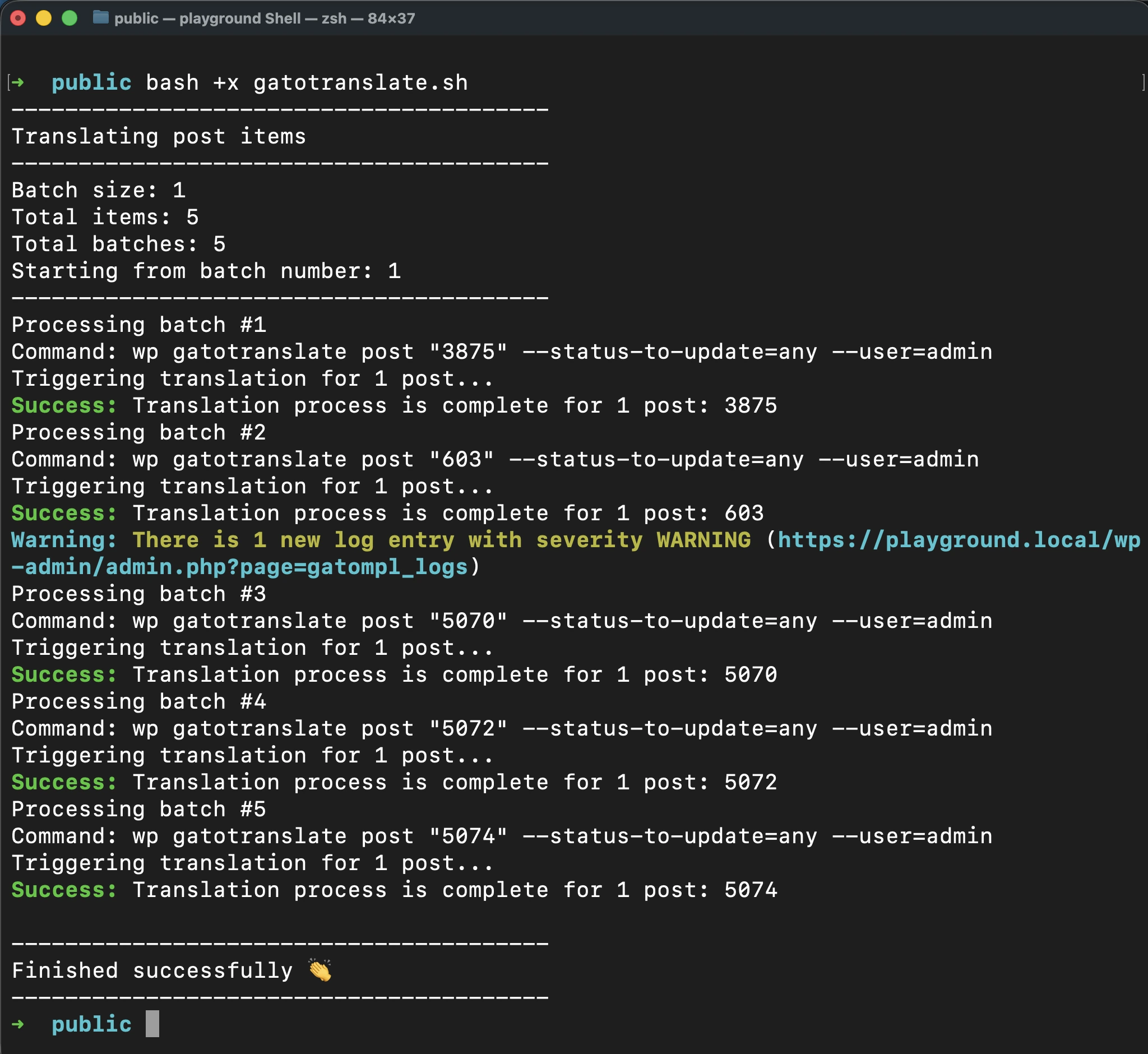
Khi script hoàn thành thành công, nó sẽ phát ra một tiếng bíp đơn.
Dừng thực thi khi có lỗi
Để script tự động dừng bất cứ khi nào có lỗi hoặc cảnh báo được thêm vào nhật ký, hãy thêm tham số --fail-if-log-notifications vào lệnh trong gatotranslate.sh:
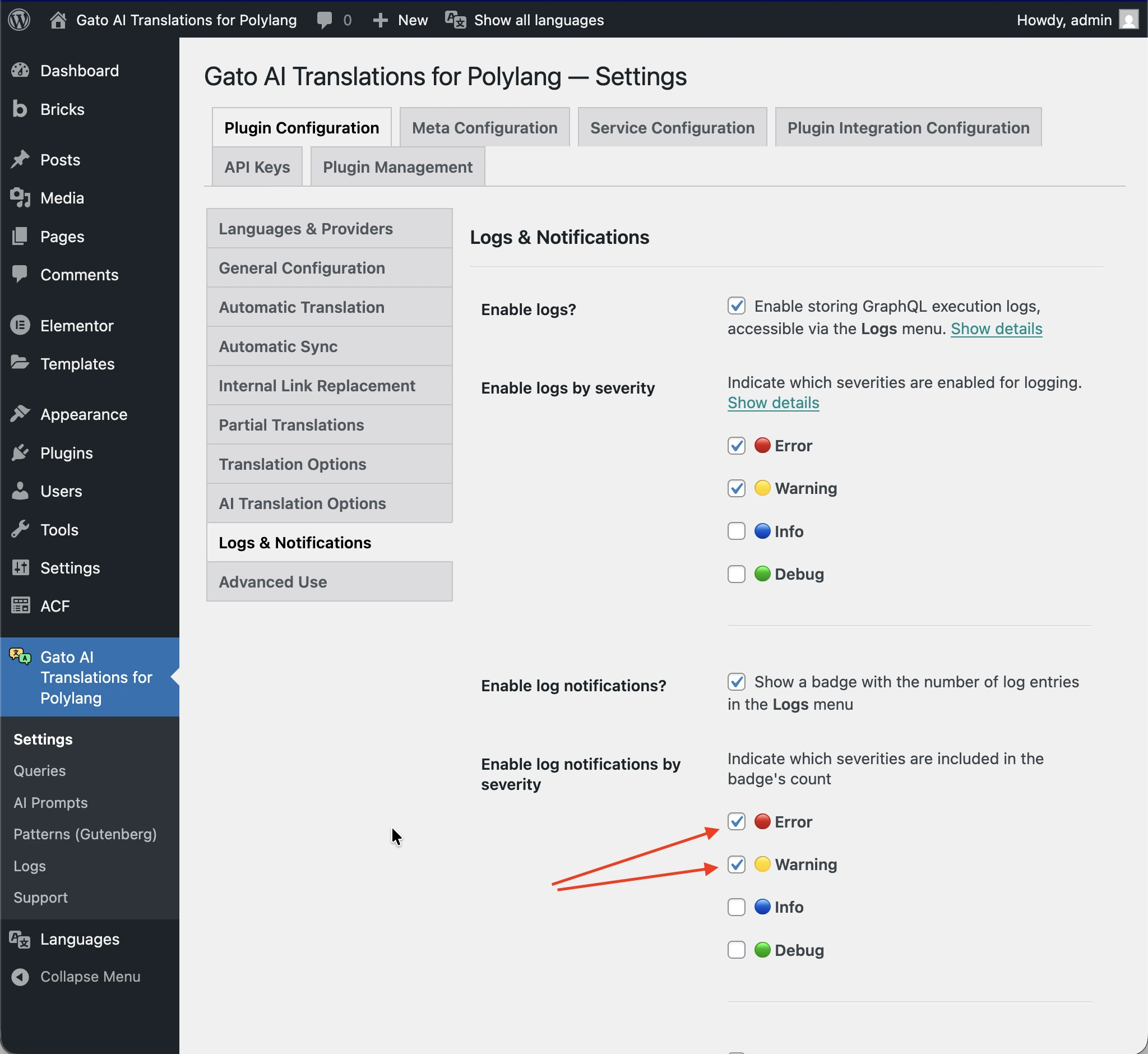
cmd=$(printf 'wp gatotranslate %s "%s" --fail-if-log-notifications --status-to-update=any --user=%s' "$subcommand" "${batch[*]}" "$user")Mức độ nghiêm trọng của các thông báo nhật ký để kích hoạt dừng script là những gì được cấu hình trong trang Settings > Plugin Configuration > Logs & Notifications.
Khi script dừng do một thông báo nhật ký, nó sẽ phát ra một chuỗi tiếng bíp kéo dài.
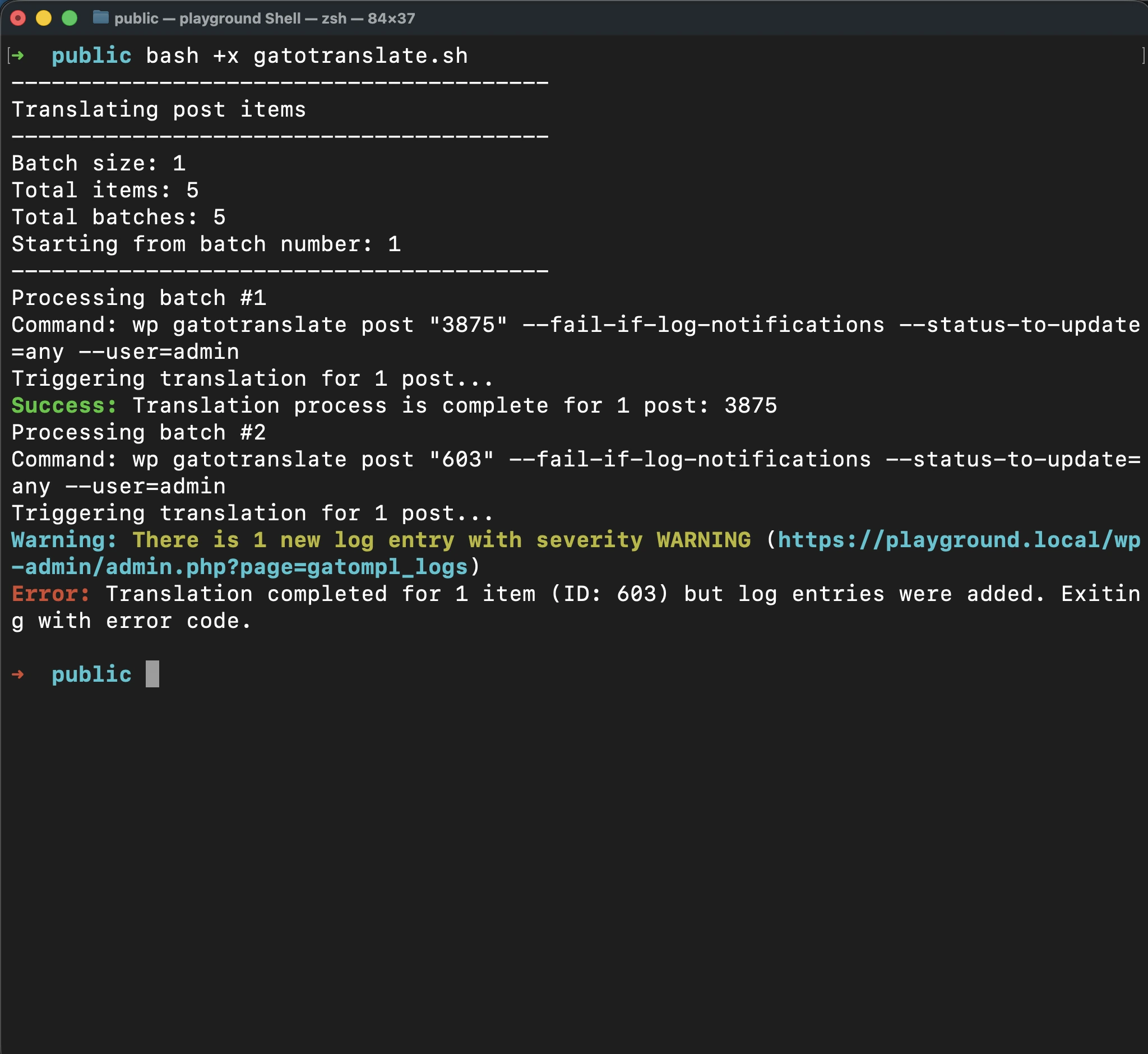
Sau khi khắc phục sự cố, bạn có thể tiếp tục dịch thuật từ điểm bị lỗi bằng cách truyền số lô làm đối số.
Bằng cách này, bạn có thể tránh xử lý lại các mục đã được dịch thành công, tiết kiệm cả thời gian lẫn tín dụng API.
Ví dụ, nếu lỗi xảy ra tại lô 2, sau khi khắc phục sự cố, hãy thực thi:
bash +x gatotranslate.sh 2Nâng cao: Lấy ID của các mục cần dịch
Khi cấu hình dịch thuật theo lô, bạn cần biết ID của các mục cần dịch.
Vì plugin chạy Gato GraphQL bên dưới, chúng ta có thể thuận tiện thực thi một GraphQL query để lấy thông tin này.
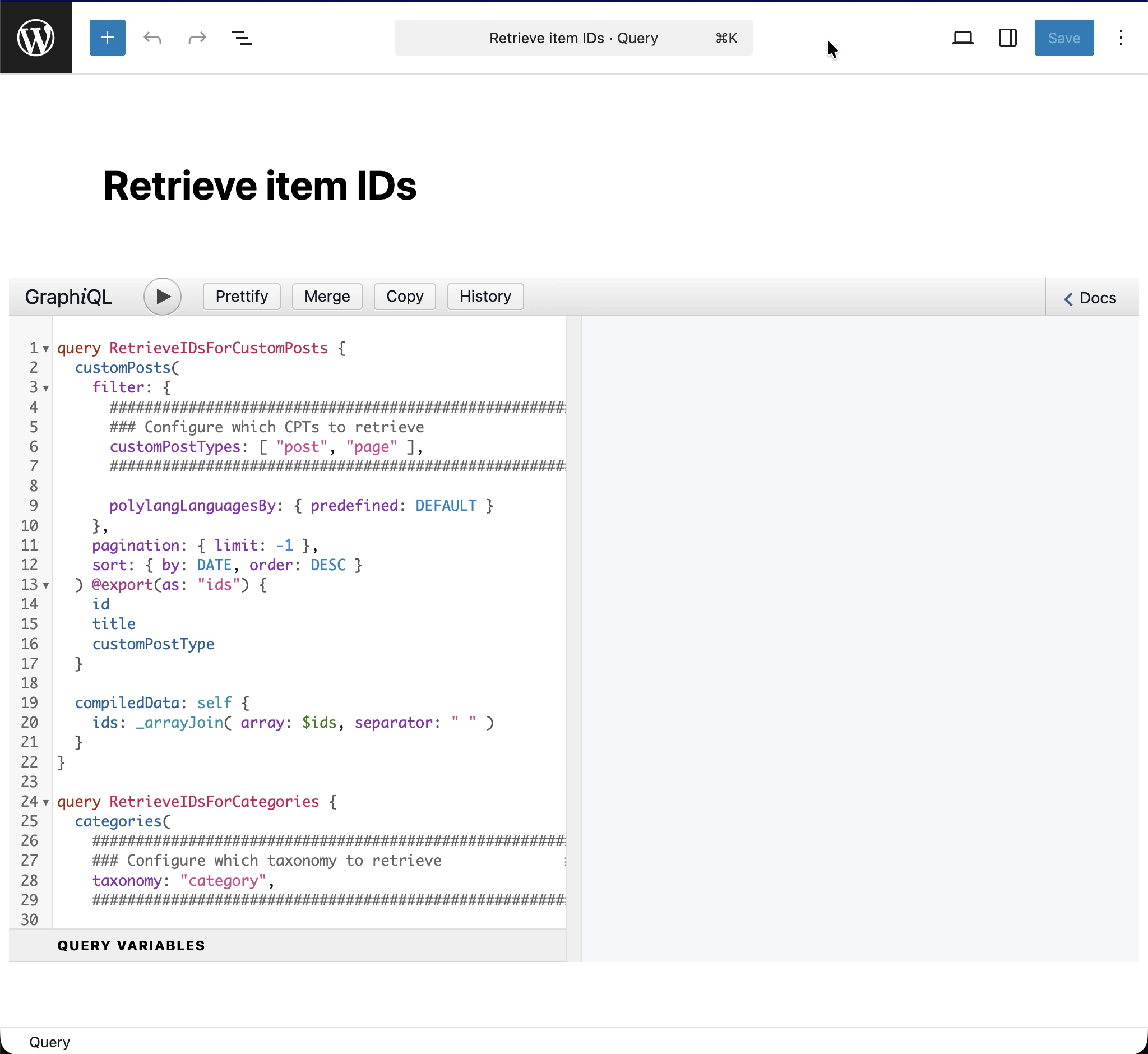
Để thực thi các GraphQL queries, trước tiên bạn phải bật Advanced Mode và truy cập CPT Queries. Xem Tạo các queries hỗ trợ để biết hướng dẫn về cách bật Advanced Mode.
Thêm một mục Queries mới, với tiêu đề Retrieve item IDs, và GraphQL query sau:
query RetrieveIDsForCustomPosts {
customPosts(
filter: {
#########################################################
### Configure which CPTs to retrieve ###
customPostTypes: [ "post", "page" ],
#########################################################
polylangLanguagesBy: { predefined: DEFAULT }
},
pagination: { limit: -1 },
sort: { by: DATE, order: DESC }
) @export(as: "ids") {
id
title
customPostType
}
compiledData: self {
ids: _arrayJoin( array: $ids, separator: " " )
}
}
query RetrieveIDsForCategories {
categories(
#########################################################
### Configure which taxonomy to retrieve ###
taxonomy: "category",
#########################################################
filter: { polylangLanguagesBy: { predefined: DEFAULT } },
pagination: { limit: -1 },
sort: { by: NAME, order: DESC }
) @export(as: "ids") {
id
name
taxonomy
}
compiledData: self {
ids: _arrayJoin( array: $ids, separator: " " )
}
}
query RetrieveIDsForTags {
tags(
#########################################################
### Configure which taxonomy to retrieve ###
taxonomy: "post_tag",
#########################################################
filter: { polylangLanguagesBy: { predefined: DEFAULT } },
pagination: { limit: -1 },
sort: { by: NAME, order: DESC }
) @export(as: "ids") {
id
name
taxonomy
}
compiledData: self {
ids: _arrayJoin( array: $ids, separator: " " )
}
}
query RetrieveIDsForMedia {
mediaItems(
filter: { polylangLanguagesBy: { predefined: DEFAULT } },
pagination: { limit: -1 },
sort: { by: DATE, order: DESC }
) @export(as: "ids") {
id
title
}
compiledData: self {
ids: _arrayJoin( array: $ids, separator: " " )
}
}
#################################################################################################
# Watch out: This will bring all menus, not just the ones in the origin language.
# Translated menus are those with a location containing the "___" string,
# e.g.: "header___es", "footer___fr", etc.
#################################################################################################
query RetrieveIDsForMenus {
menus(
pagination: { limit: -1 },
sort: { by: NAME, order: DESC }
) @export(as: "ids") {
id
name
locations
}
compiledData: self {
ids: _arrayJoin( array: $ids, separator: " " )
}
}
Tùy thuộc vào những thực thể bạn muốn dịch, bạn sẽ cần cấu hình và thực thi thao tác tương ứng trong query.
Ví dụ, để lấy ID của các danh mục bài viết, bạn sẽ cần thực thi thao tác RetrieveIDsForCategories, truyền taxonomy category làm đối số:
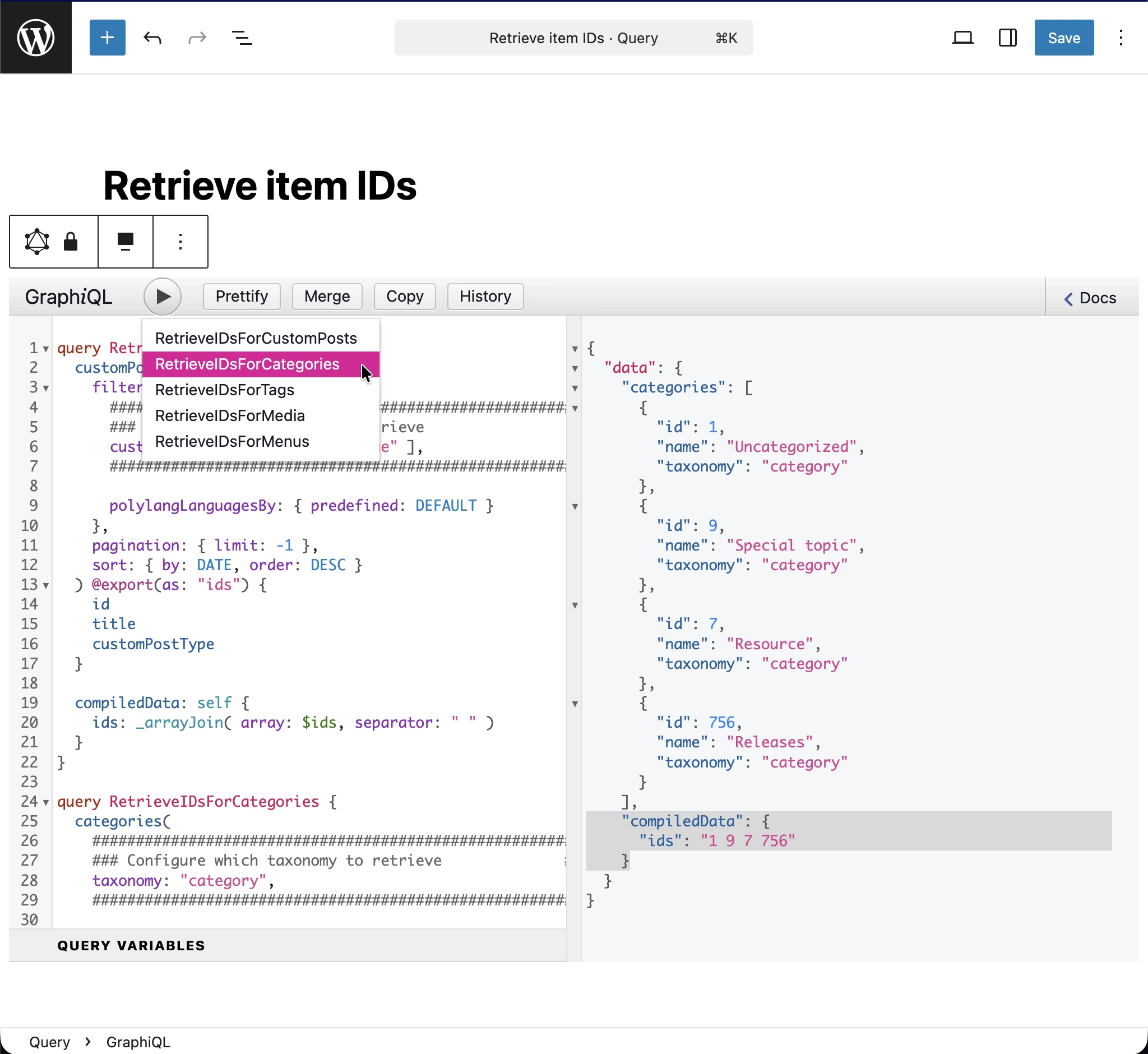
Từ phản hồi JSON, ID của các mục cần dịch được in trong mục data.compiledData.ids (được làm nổi bật trong hình ảnh). Sao chép chuỗi đó và lưu vào mảng items trong file cấu hình.